Lost when switching computers
%n%
Liz Devarius bought a new and more powerful computer. Now she could run Windows 7! She carefully transferred all her documents and pictures from the old computer. Then the hard disk from the old computer was low-level formatted before the computer was scrapped to ensure that no-one could get at Liz's private data. Two days later, Liz discovered to her horror that she'd forgotten to transfer the report that she'd been working on for weeks.
The person and story above are fictitious, but the story is very true-to-life.
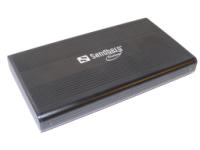
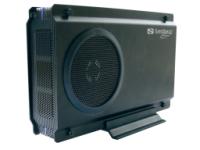
You can avoid ending up in the same situation as Liz by buying one of the new Sandberg Multi Hard Disk Boxes when you change computers. Then you can simply take the hard disk out of your old computer and turn it into a smart external hard disk. There are many advantages:
Liz Devarius bought a new and more powerful computer. Now she could run Windows 7! She carefully transferred all her documents and pictures from the old computer. Then the hard disk from the old computer was low-level formatted before the computer was scrapped to ensure that no-one could get at Liz's private data. Two days later, Liz discovered to her horror that she'd forgotten to transfer the report that she'd been working on for weeks.
The person and story above are fictitious, but the story is very true-to-life.
You can avoid ending up in the same situation as Liz by buying one of the new Sandberg Multi Hard Disk Boxes when you change computers. Then you can simply take the hard disk out of your old computer and turn it into a smart external hard disk. There are many advantages:
- You have access to all your old data, without having to use up space on your new computer.
- You also get a simple and effective backup solution.
- You prevent anyone else from getting to the data on your scrapped computer.